
01
Read the subject before changing the style
Use the visible face, hairstyle, expression, silhouette, clothing, accessories, palette, and pose as the reference for the result.
Illustration to realistic AI
Convert finished illustrations, anime-style artwork, and cartoon characters into photographic images while keeping the visible subject, design, pose, colors, framing, and scene recognizable.
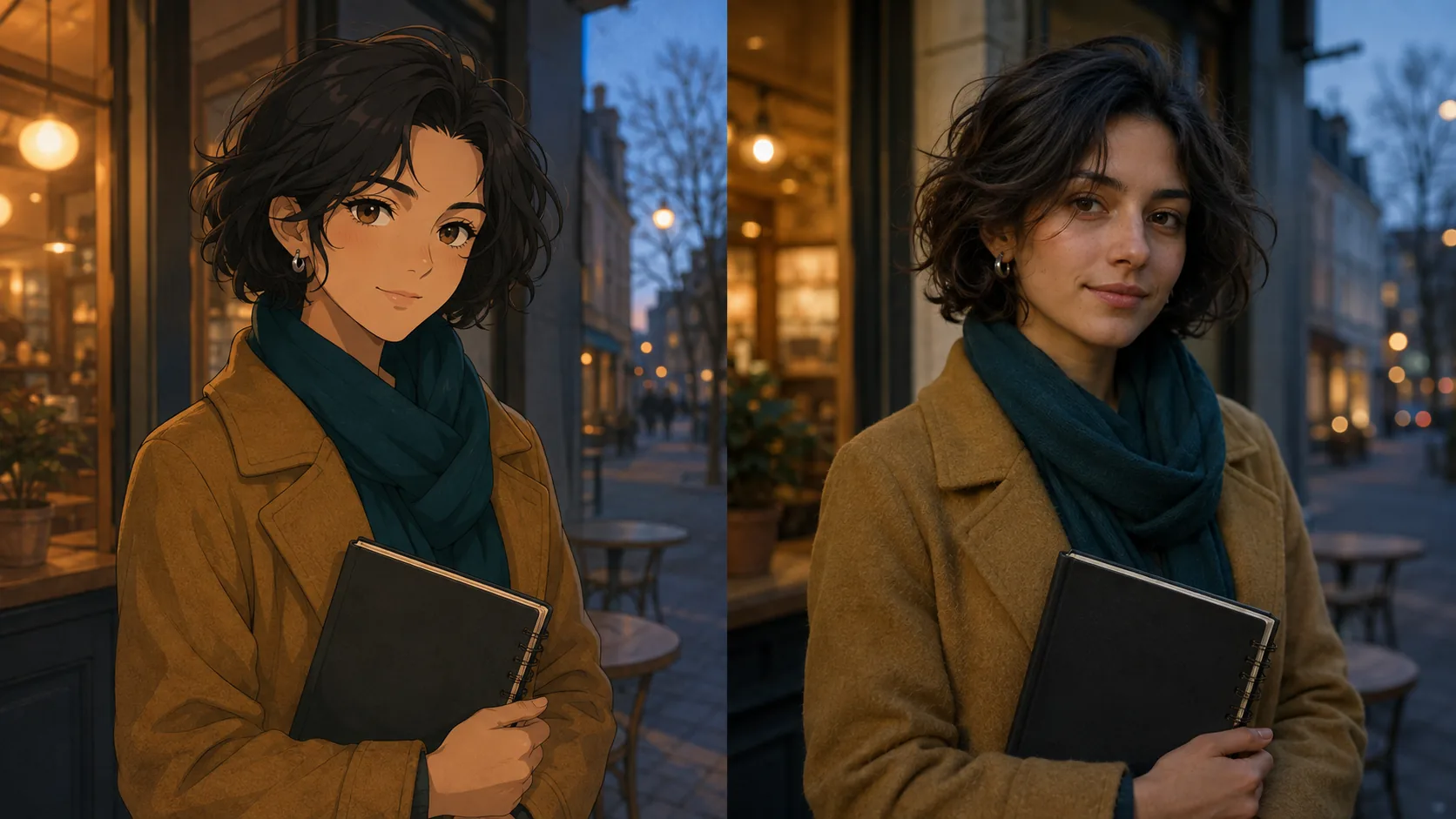 IllustrationRealistic photo
From finished art to photography
This workflow starts with a finished illustration whose subject, palette, and composition already work. It interprets the same visible idea with real-world anatomy, materials, light, and camera depth.
Use the visible face, hairstyle, expression, silhouette, clothing, accessories, palette, and pose as the reference for the result.
Translate illustrated skin, hair, fabric, metal, props, scenery, and stylized shapes into plausible forms and material texture.
Replace painted shading and outlines with coherent illumination, contact shadows, atmospheric depth, and restrained camera response.
Made for finished artwork
This page translates an already developed illustration into photographic language. If the source is still a rough sketch or line drawing with open design decisions, use the sketch-specific workflow instead.
One source, two responsibilities
The conversion is guided by the visible design and arrangement of the uploaded artwork.
Illustrated conventions are replaced with plausible real-world visual information.
The artwork guides the conversion, but the realistic image is still generated. Compare the result with the source when exact identity, clothing, or design details matter.
How it works
No prompt engineering is required. Add the artwork, run the illustration-specific conversion, and review the result against the source image.
01
Add a clear JPG, PNG, or WebP illustration. Finished digital art, anime-style images, cartoons, and character concepts work best here.
02
The illustration-specific mode follows the visible design while interpreting anatomy, materials, lighting, and depth as a photograph.
03
Check the subject, face, pose, clothing, objects, colors, and composition before downloading the realistic result.
Illustration to realistic AI FAQ
Check source-image fit, character fidelity, the difference from video generation, and responsible image use.
More realism tools
Upload finished artwork and create a photographic interpretation guided by its visible subject, design, palette, and composition.