
Sketch to realistic image AI
Turn sketches and line drawings into realistic images
Upload a rough sketch, line drawing, doodle, or early concept and turn it into a finished, realistic image while keeping the original layout, silhouette, proportions, and visual idea.
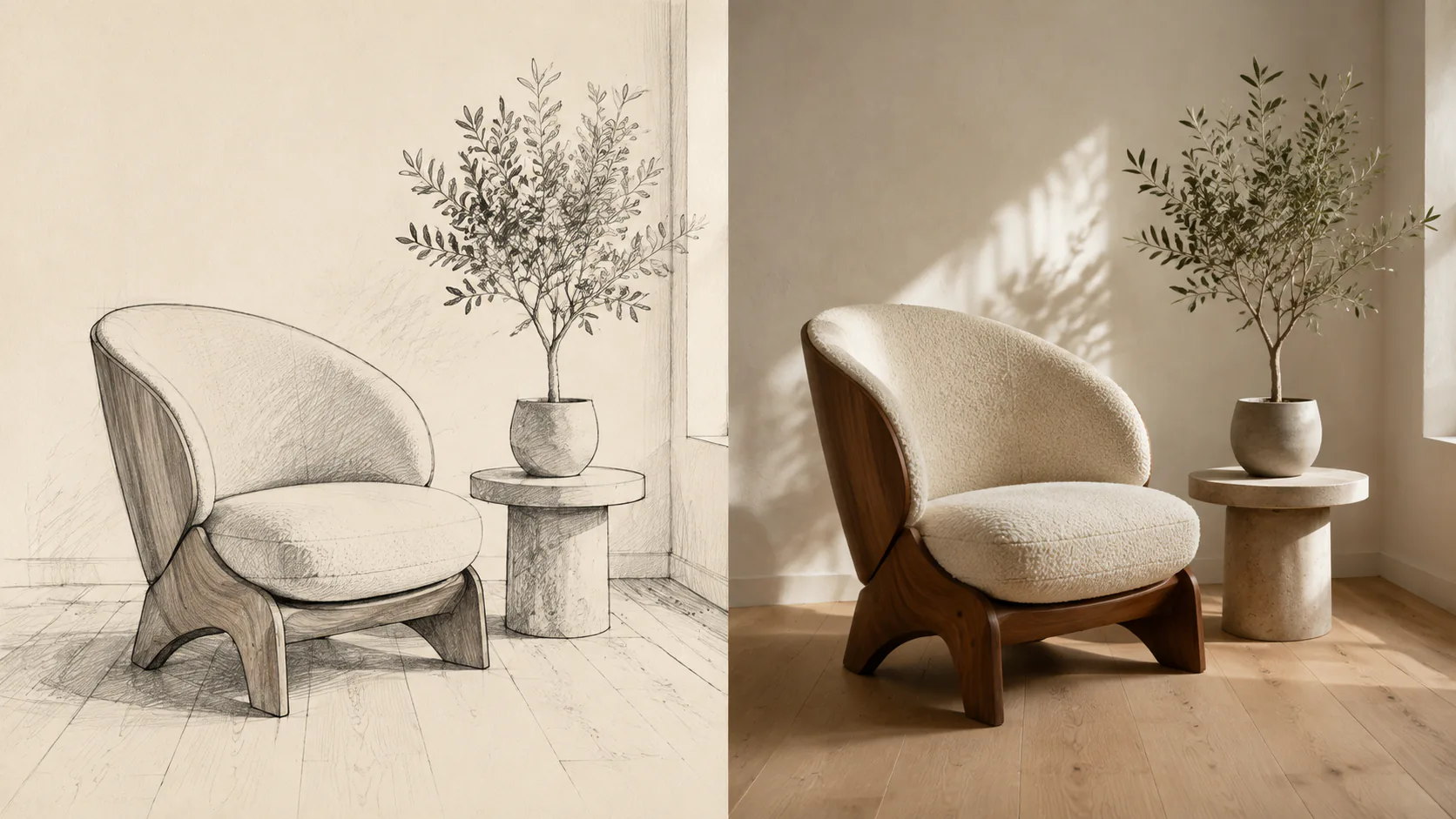 SketchRealistic image
Sketch-aware generation
Build a real scene from the idea already on the page
The dedicated sketch prompt treats your drawing as a structural guide, then fills the unfinished areas with coherent materials, color, lighting, depth, and real-world detail.
Bring the drawing you already have
From quick roughs to clean line art
Your drawing does not need to look finished. When the main silhouette, subject count, proportions, and placement are readable, AI has a stronger guide for completing the form and materials.
For drawings on paper, photograph the page straight on in even light and avoid strong shadows or perspective distortion. Clearer lines provide a more stable structural guide.
Controlled completion
Keep the concept; complete what the sketch leaves open
Materials, colors, lighting, and context that are not defined in the sketch are interpreted by AI. Review the result when exact shapes or design details are important.
How it works
From rough sketch to finished realistic image
No masking, layers, or prompt engineering. Add the drawing, run the sketch-specific conversion, and review how AI completed the scene.
Sketch to image FAQ
Questions about turning drawings into realistic images
Learn which drawings work well, what stays connected to the source, and where AI interpretation begins.
More realism tools
Choose a workflow that matches your source image
1980s photo AI
Restyle your portrait as a classic 1980s studio photograph.General AI image realism
A flexible workflow for people, products, landscapes, and more.3D render to photorealistic AI
Convert an existing 3D, interior, or architectural render into a photorealistic image with AI while preserving layout, perspective, materials, and design intent.Illustration to realistic AI
Turn illustrations, anime-style artwork, and cartoon images into realistic photos with AI while keeping the character design, pose, colors, and composition recognizable.Turn the first lines of an idea into a real scene
Upload a sketch or line drawing and let AI complete it with believable form, material, light, and photographic depth.
Turn a sketch into a realistic image